> ## Documentation Index
> Fetch the complete documentation index at: https://docs.apiany.ai/llms.txt
> Use this file to discover all available pages before exploring further.
# Integration in CC-Switch
> APIAny.AI API Key, Base URL und empfohlene Modelle in CC-Switch konfigurieren.
[CC-Switch](https://github.com/farion1231/cc-switch) kann sich über Umgebungsvariablen oder lokale Konfigurationsdateien mit APIAny.AI verbinden. Geeignet für Terminal-, Editor- und automatisierte Entwicklungsworkflows.
## Voraussetzungen
* CC-Switch ist installiert.
* Du hast im [APIAny.AI Dashboard](https://apiany.ai/de/dashboard/api-keys) einen API Key erstellt.
* Du hast eine Modell-ID ausgewählt.
## Claude Code konfigurieren
Wechsle in CC-Switch zu Claude Code, füge eine Konfiguration hinzu und gib ein:
| Feld | Wert |
| ------------ | -------------------- |
| Name | `APIAny.AI` |
| Endpoint URL | `https://apiany.ai` |
| API Key | `sk-xxxxxxxxxxxx` |
| API Format | `Anthropic Messages` |
## Codex konfigurieren
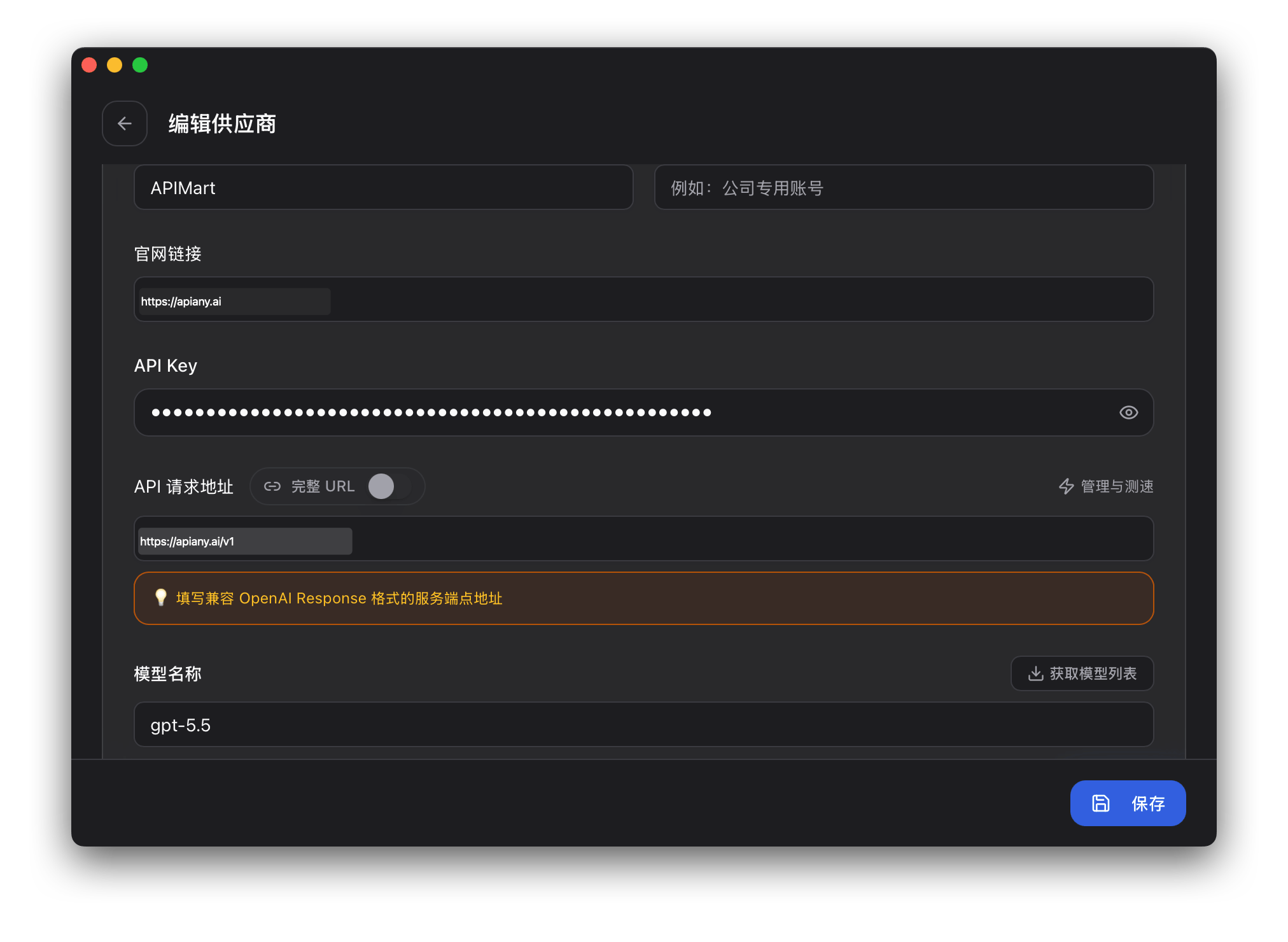
Trage in auth.json ein:
```json theme={null}
{
"OPENAI_API_KEY": "sk-xxxxxxxxxxxx"
}
```
Trage anschließend in config.toml ein:
```toml theme={null}
model = "gpt-5.5"
model_provider = "apiany"
[model_providers.apiany]
name = "APIAny.AI"
base_url = "https://apiany.ai/v1"
wire_api = "responses"
requires_openai_auth = true
```
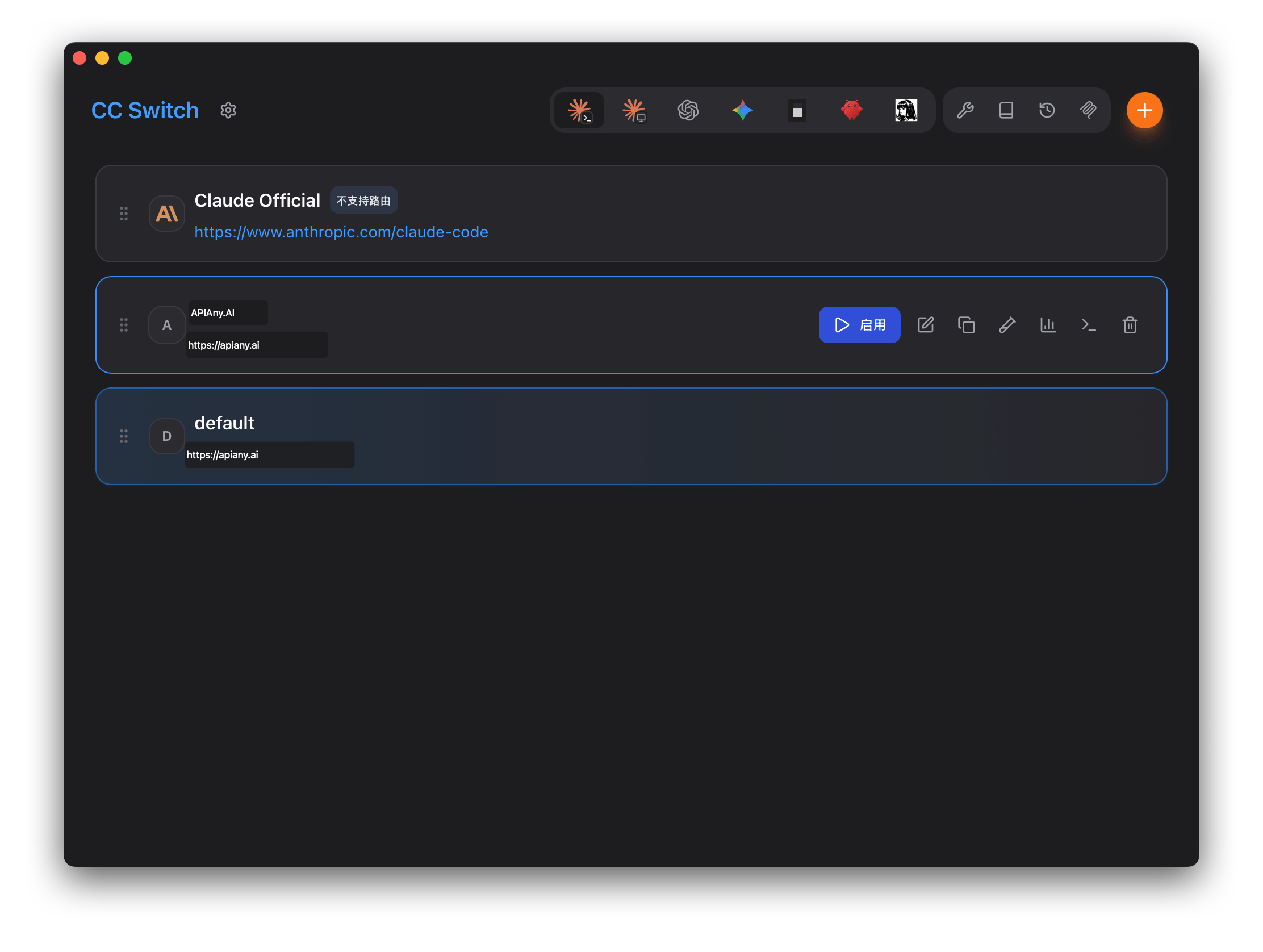
Speichere die Konfiguration und aktiviere APIAny.AI in CC-Switch.
## Empfohlene Modelle
| Modell-ID | Am besten geeignet für |
| ------------------- | -------------------------------------------------------------------------------------------------- |
| `gpt-5.5` | Beste erste Wahl für komplexes Reasoning, Coding und produktionsreife Workflows. |
| `gpt-5.4` | Starkes Allzweckmodell für anspruchsvolle Chats und Agent-Aufgaben. |
| `gpt-5.4-mini` | Ausgewogenes Verhältnis von Geschwindigkeit, Qualität und Kosten für den täglichen Einsatz. |
| `gpt-4o-mini` | Schnelle und wirtschaftliche Wahl für einfache Chats, Übersetzungen und leichtgewichtige Aufgaben. |
| `claude-sonnet-4-6` | Claude-kompatible Modell-ID für umfangreiche Schreib- und Coding-Workflows. |
| `gemini-3.5-flash` | Gemini-kompatible Modell-ID für schnelle multimodale Nutzung. |
## Anleitung mit Screenshots
Die folgenden Screenshots zeigen die wichtigsten Konfigurationsschritte in CC-Switch. API-Namen und Endpunkte wurden für APIAny.AI angepasst.
### Schritt 1
 ### Schritt 2
 ## Fehlerbehebung
### 401 oder Authentifizierungsfehler
Stelle sicher, dass der API Key vollständig kopiert wurde, keine überflüssigen Leerzeichen enthält und im APIAny.AI Dashboard aktiviert ist.
### Das Modell erscheint nicht in der App
Gib die Modell-ID manuell ein und prüfe, ob sie im [Modellkatalog](/de/models/chat-models) verfügbar ist. Manche Tools rufen Modelllisten nicht automatisch ab.
### Welche Base URL soll ich verwenden?
OpenAI-kompatible Einstellungen verwenden in der Regel `https://apiany.ai/v1`; Claude-kompatible Einstellungen verwenden in der Regel `https://apiany.ai`; Tools, die einen vollständigen Endpunkt verlangen, verwenden `https://apiany.ai/v1/chat/completions`.
## Fehlerbehebung
### 401 oder Authentifizierungsfehler
Stelle sicher, dass der API Key vollständig kopiert wurde, keine überflüssigen Leerzeichen enthält und im APIAny.AI Dashboard aktiviert ist.
### Das Modell erscheint nicht in der App
Gib die Modell-ID manuell ein und prüfe, ob sie im [Modellkatalog](/de/models/chat-models) verfügbar ist. Manche Tools rufen Modelllisten nicht automatisch ab.
### Welche Base URL soll ich verwenden?
OpenAI-kompatible Einstellungen verwenden in der Regel `https://apiany.ai/v1`; Claude-kompatible Einstellungen verwenden in der Regel `https://apiany.ai`; Tools, die einen vollständigen Endpunkt verlangen, verwenden `https://apiany.ai/v1/chat/completions`.