> ## Documentation Index
> Fetch the complete documentation index at: https://docs.apiany.ai/llms.txt
> Use this file to discover all available pages before exploring further.
# Using in CC-Switch
> Configure APIAny.AI API keys, base URLs, and recommended models in CC-Switch.
[CC-Switch](https://github.com/farion1231/cc-switch) can connect to APIAny.AI through environment variables or local configuration files. It is useful for terminal, editor, and automated development workflows.
## Prerequisites
* CC-Switch is installed.
* You have created an API key in the [APIAny.AI dashboard](https://apiany.ai/dashboard/api-keys).
* You have selected a model ID.
## Configure Claude Code
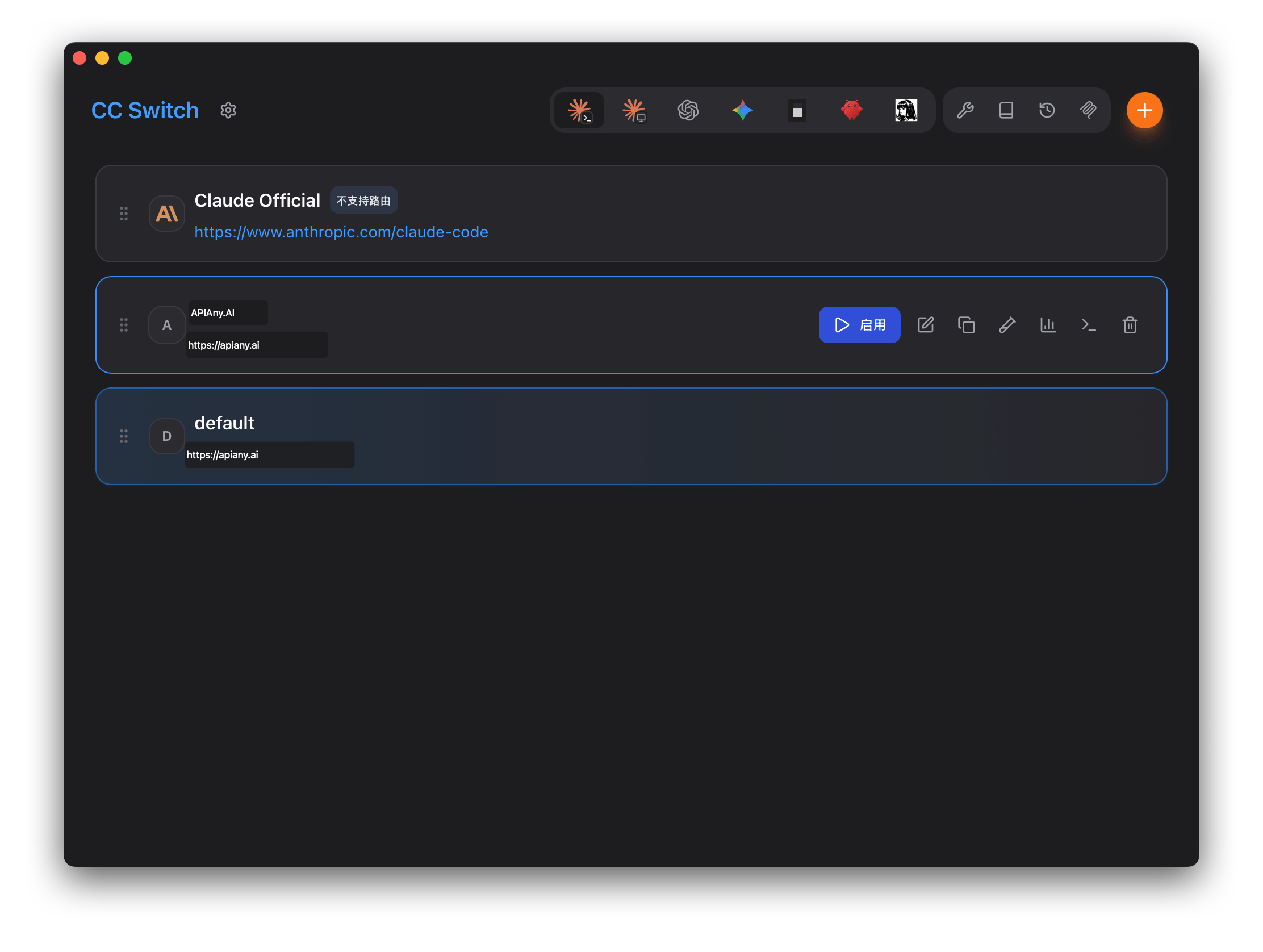
In CC-Switch, switch to Claude Code, add a configuration, and enter:
| Field | Value |
| ------------ | -------------------- |
| Name | `APIAny.AI` |
| Endpoint URL | `https://apiany.ai` |
| API Key | `sk-xxxxxxxxxxxx` |
| API Format | `Anthropic Messages` |
## Configure Codex
Fill auth.json with:
```json theme={null}
{
"OPENAI_API_KEY": "sk-xxxxxxxxxxxx"
}
```
Then fill config.toml with:
```toml theme={null}
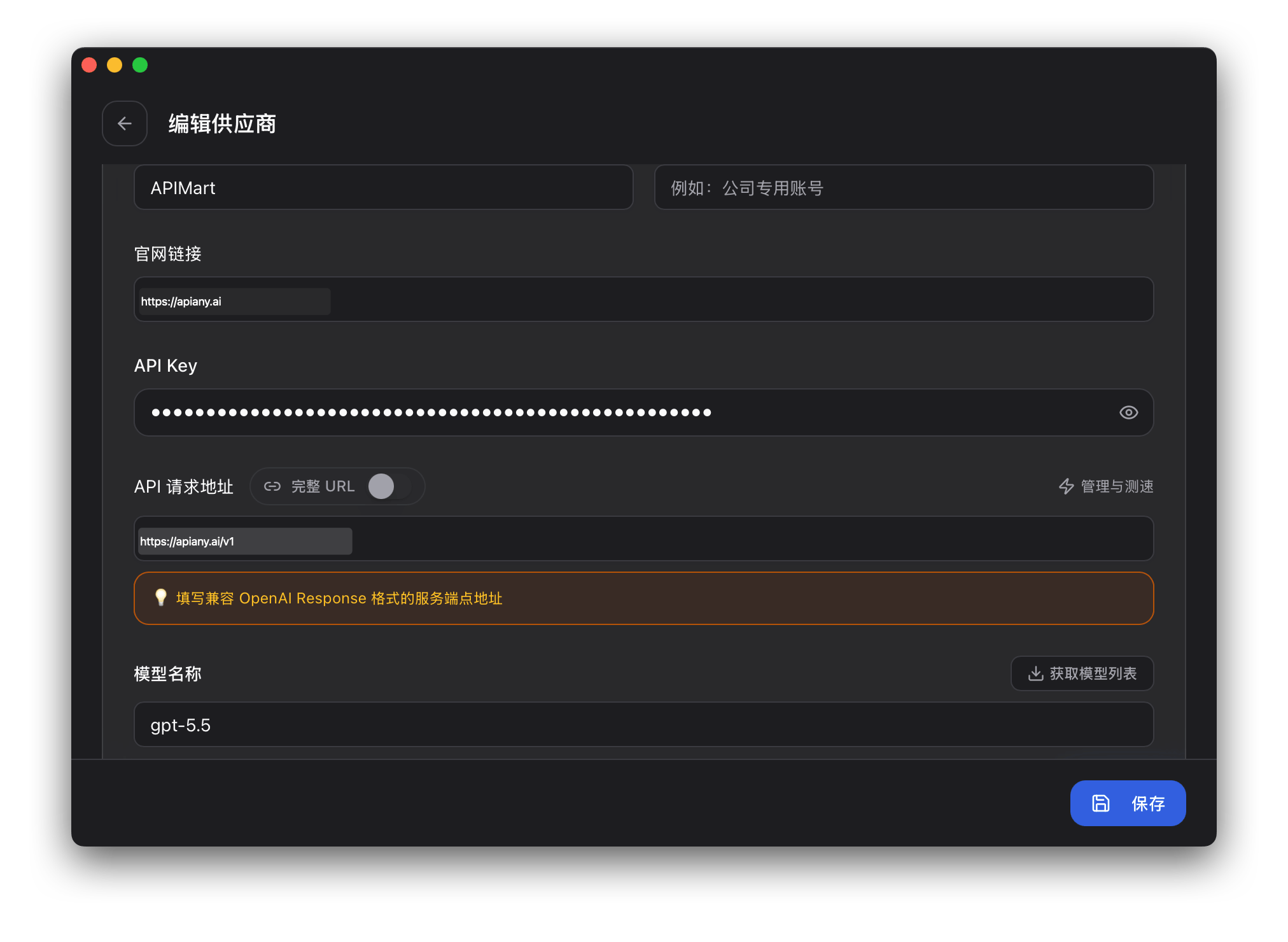
model = "gpt-5.5"
model_provider = "apiany"
[model_providers.apiany]
name = "APIAny.AI"
base_url = "https://apiany.ai/v1"
wire_api = "responses"
requires_openai_auth = true
```
Save the configuration and enable APIAny.AI in CC-Switch.
## Recommended models
| Model ID | Best for |
| ------------------- | ------------------------------------------------------------------------------- |
| `gpt-5.5` | Best first choice for complex reasoning, coding, and production workflows. |
| `gpt-5.4` | Strong general-purpose model for advanced chat and agent tasks. |
| `gpt-5.4-mini` | Balanced speed, quality, and cost for everyday usage. |
| `gpt-4o-mini` | Fast and economical choice for simple chat, translation, and lightweight tasks. |
| `claude-sonnet-4-6` | Claude-compatible model ID for long-form writing and coding workflows. |
| `gemini-3.5-flash` | Gemini-compatible model ID for fast multimodal usage. |
## Walkthrough screenshots
The screenshots below show the key configuration screens in CC-Switch. API names and endpoints have been adjusted for APIAny.AI.
### Step 1
 ### Step 2
 ## Troubleshooting
### 401 or authentication errors
Make sure the API key is copied completely, has no extra spaces, and is enabled in the APIAny.AI dashboard.
### The model does not appear in the app
Enter the model ID manually and confirm it is available in the [model catalog](/models/chat-models). Some tools do not fetch model lists automatically.
### Which Base URL should I use?
OpenAI-compatible settings usually use `https://apiany.ai/v1`; Claude-compatible settings usually use `https://apiany.ai`; tools that ask for a full endpoint use `https://apiany.ai/v1/chat/completions`.
## Troubleshooting
### 401 or authentication errors
Make sure the API key is copied completely, has no extra spaces, and is enabled in the APIAny.AI dashboard.
### The model does not appear in the app
Enter the model ID manually and confirm it is available in the [model catalog](/models/chat-models). Some tools do not fetch model lists automatically.
### Which Base URL should I use?
OpenAI-compatible settings usually use `https://apiany.ai/v1`; Claude-compatible settings usually use `https://apiany.ai`; tools that ask for a full endpoint use `https://apiany.ai/v1/chat/completions`.