> ## Documentation Index
> Fetch the complete documentation index at: https://docs.apiany.ai/llms.txt
> Use this file to discover all available pages before exploring further.
# CC-Switch 集成
> 在 CC-Switch 中配置 APIAny.AI API Key、Base URL 和推荐模型。
[CC-Switch](https://github.com/farion1231/cc-switch) 可以通过环境变量或本地配置文件连接 APIAny.AI。适合在终端、编辑器和自动化开发流程中使用统一模型接口。
## 准备工作
* 已安装 CC-Switch。
* 已在 [APIAny.AI 控制台](https://apiany.ai/zh/dashboard/api-keys) 创建 API Key。
* 已准备一个要使用的模型 ID。
## 配置 Claude Code
在 CC-Switch 中切换到 Claude Code,新增配置并填写:
| 字段 | 值 |
| ------------ | -------------------- |
| Name | `APIAny.AI` |
| Endpoint URL | `https://apiany.ai` |
| API Key | `sk-xxxxxxxxxxxx` |
| API Format | `Anthropic Messages` |
## 配置 Codex
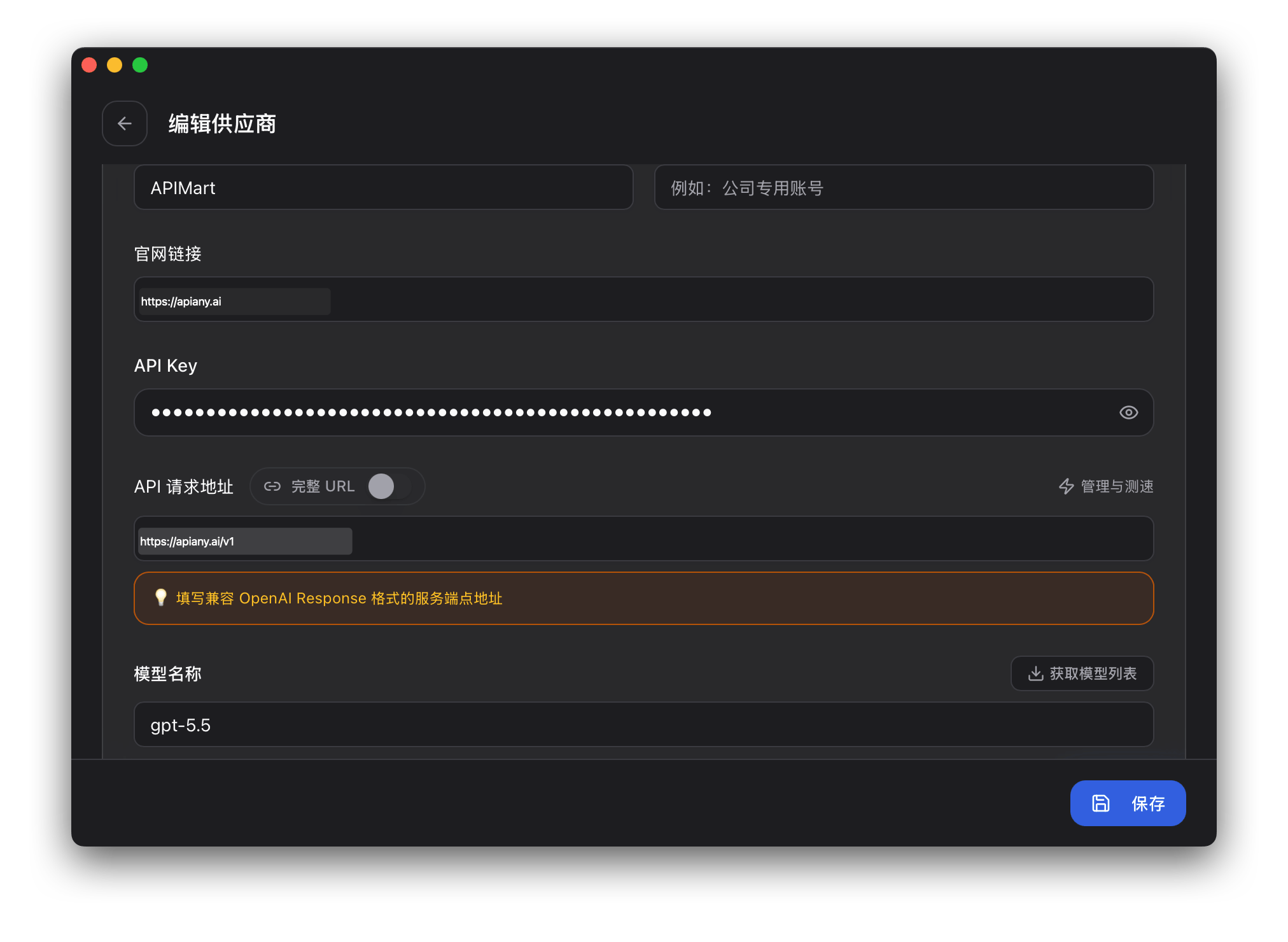
在 Codex 配置中填写 auth.json:
```json theme={null}
{
"OPENAI_API_KEY": "sk-xxxxxxxxxxxx"
}
```
再填写 config.toml:
```toml theme={null}
model = "gpt-5.5"
model_provider = "apiany"
[model_providers.apiany]
name = "APIAny.AI"
base_url = "https://apiany.ai/v1"
wire_api = "responses"
requires_openai_auth = true
```
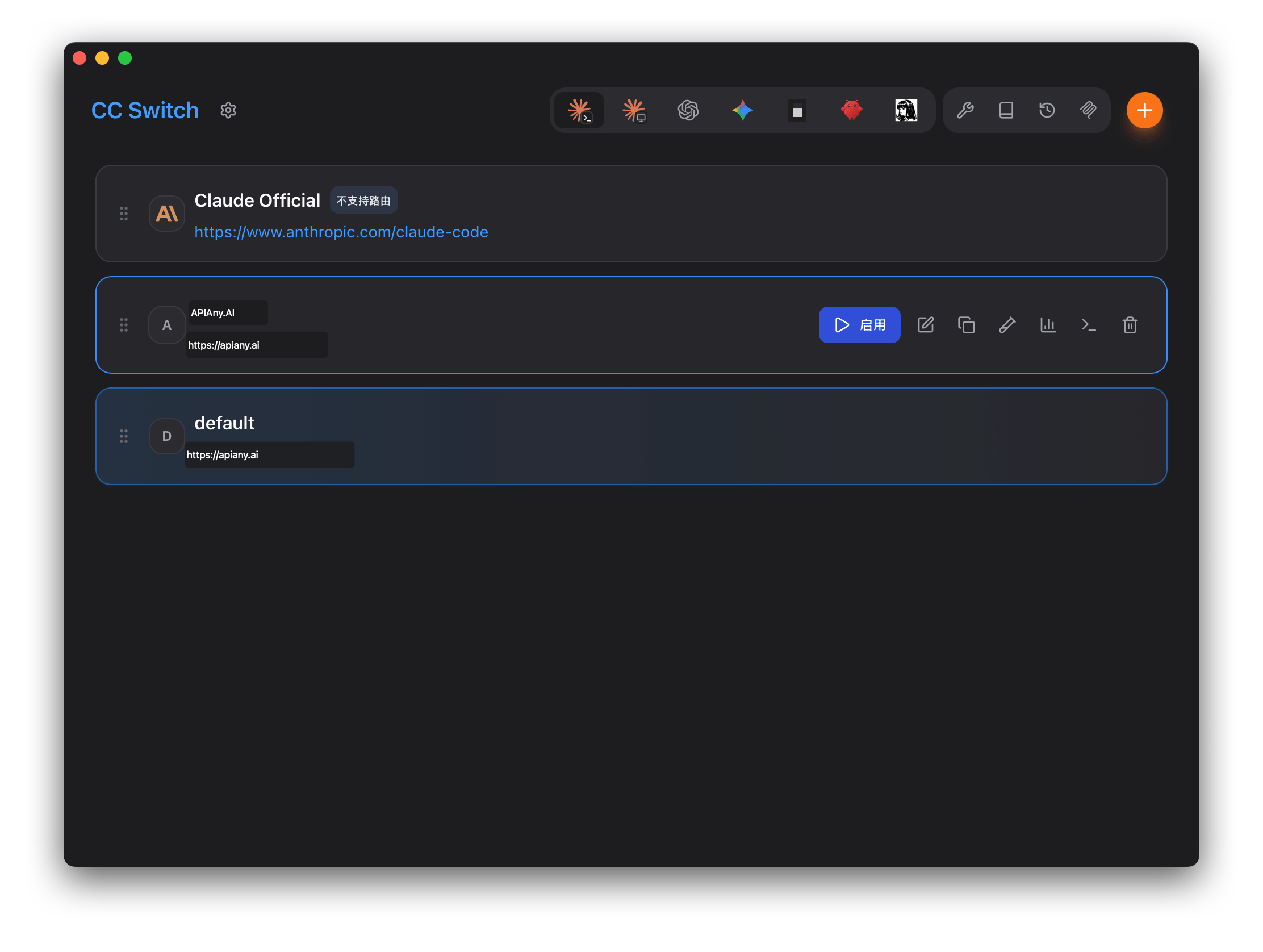
保存后在 CC-Switch 中启用 APIAny.AI 配置。
## 推荐模型
| 模型 ID | 适用场景 |
| ------------------- | --------------------------- |
| `gpt-5.5` | 适合复杂推理、编码和生产级工作流,优先推荐。 |
| `gpt-5.4` | 适合高级对话、Agent 和通用生产任务。 |
| `gpt-5.4-mini` | 速度、质量和成本均衡,适合日常高频使用。 |
| `gpt-4o-mini` | 适合简单对话、翻译和轻量任务,速度快、成本低。 |
| `claude-sonnet-4-6` | 适合 Claude 兼容配置的长文本、写作和编码任务。 |
| `gemini-3.5-flash` | 适合 Gemini 兼容配置的快速多模态任务。 |
## 操作截图
以下截图展示 CC-Switch 中的关键配置入口和保存后的使用界面。截图中的 API 地址和名称均已按 APIAny.AI 调整。
### 步骤 1
 ### 步骤 2
 ## 常见问题
### 返回 401 或认证失败
确认 API Key 已完整复制,前后没有多余空格,并且已经在 APIAny.AI 控制台中启用。
### 模型无法选择或调用失败
手动输入模型 ID,并确认该模型在 [模型目录](/zh/models/chat-models) 中可用。不同工具可能不会自动拉取模型列表。
### Base URL 应该怎么填
OpenAI 兼容配置通常使用 `https://apiany.ai/v1`;Claude 兼容配置通常使用 `https://apiany.ai`;需要完整接口地址的工具使用 `https://apiany.ai/v1/chat/completions`。
## 常见问题
### 返回 401 或认证失败
确认 API Key 已完整复制,前后没有多余空格,并且已经在 APIAny.AI 控制台中启用。
### 模型无法选择或调用失败
手动输入模型 ID,并确认该模型在 [模型目录](/zh/models/chat-models) 中可用。不同工具可能不会自动拉取模型列表。
### Base URL 应该怎么填
OpenAI 兼容配置通常使用 `https://apiany.ai/v1`;Claude 兼容配置通常使用 `https://apiany.ai`;需要完整接口地址的工具使用 `https://apiany.ai/v1/chat/completions`。